
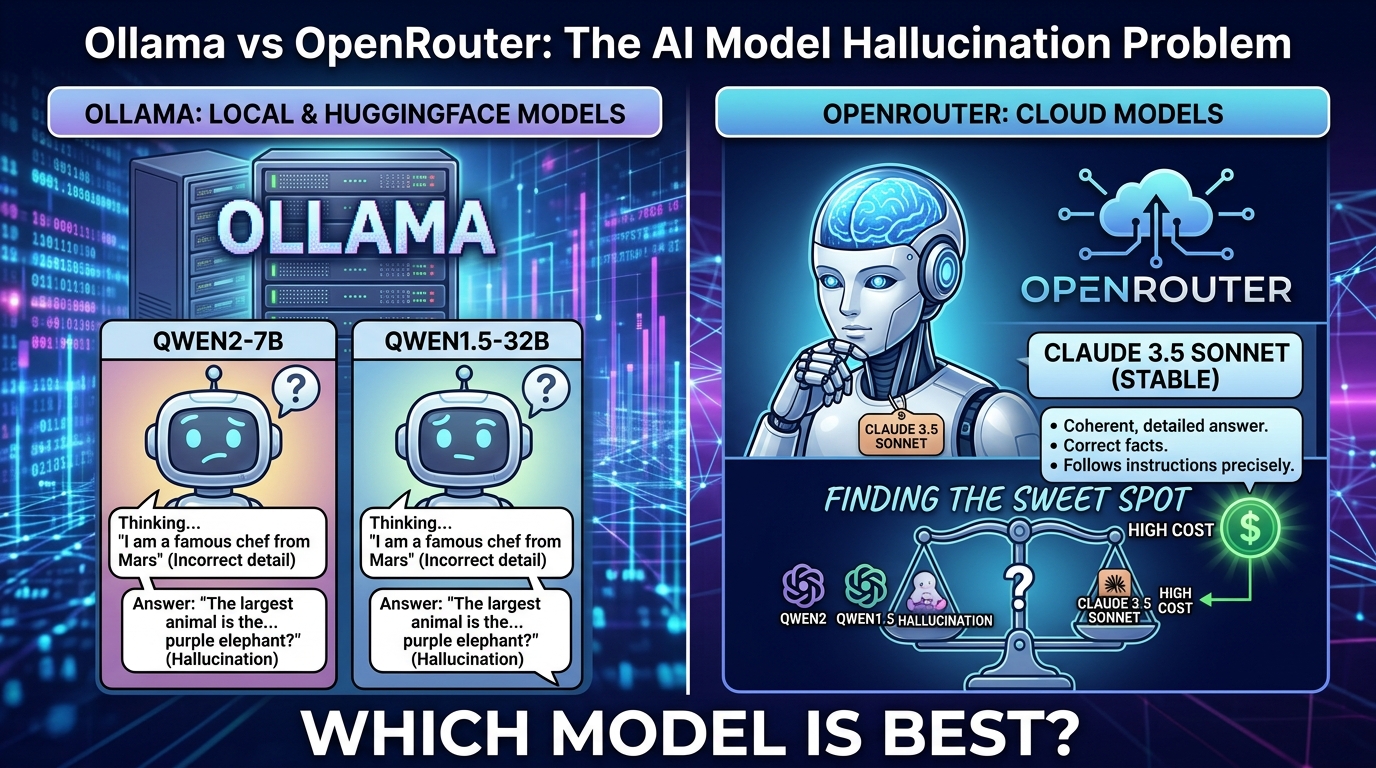
If you’ve spent any time chatting to infinigpt in this Matrix server, you’ll have noticed it isn’t
consistent. Ask it a question with Claude Sonnet behind it and you get a clean, correct answer. Ask
the exact same question with a local Ollama model behind it, and you might get a hallucinated wall of
Kubernetes output, or a perfectly confident answer in Mandarin. This post explains why, what the.ai command is actually doing under the bonnet, and how to get consistent, affordable results out
of this setup.
The two environments
infinigpt (the bot behind .ai) can talk to two very different kinds of backend, configured side
by side in the same config.json:
- Ollama — a self-hosted inference server running on a Mac mini (Apple M4, 16GB unified memory,
no discrete GPU). Models here are quantised (typicallyQ4_K_M) to fit in that memory budget, and
run entirely on local compute. - OpenRouter — a hosted gateway that proxies requests to full-precision, frontier-scale models
(DeepSeek, Claude, GPT-4o, Gemini, GLM, etc.) run on proper datacentre hardware, billed per token.
They are not just “the same model in two places”. A 14B parameter model quantised to 4 bits and
squeezed into 16GB of shared memory is a fundamentally different beast to a multi-hundred-billion
parameter Mixture-of-Experts model served at full precision on enterprise GPUs. That gap is the root
cause of almost everything below.
Why the Ollama models were hallucinating
The .ai bot has 258 tools wired up across five MCP servers (ManageLM, Netdata, Nextcloud, PatchMon,
and Rancher). That’s a huge number of tool definitions to hold in context and reason over correctly.
Small, locally-quantised models (qwen2.5:7b-instruct, qwen3:14b) consistently struggled with one
specific skill: deciding when not to call a tool. Asked a simple meta-question like “what MCP
servers do I have access to?”, instead of answering from the system prompt, the model would instead
invoke an unrelated tool (in our case, a Rancher/Kubernetes project listing) and then confidently
summarise the results — of a question nobody asked. That’s a textbook hallucination: not a factual
error so much as answering the wrong question entirely, dressed up as a real answer.
This is a well-known limitation of small quantised models rather than a bug in our setup:
- Tool selection accuracy degrades sharply as the number of available tools grows, and it degrades
faster in smaller/quantised models than in frontier ones. - Aggressive quantisation (
Q4_K_M) trades away some of the fine-grained weight precision that
underpins reliable instruction-following, in exchange for fitting in 16GB of memory. - These models simply haven’t seen as much high-quality agentic/tool-use training data as the
frontier labs’ flagship models.
Why it sometimes answered in Chinese
On a separate occasion, the same local model answered an entirely English, Rancher-specific question
entirely in Mandarin. This wasn’t a translation setting or a misconfigured prompt — the bot’spersonality string doesn’t mention language at all, and the request was in English throughout.
This is a known quirk of small multilingual instruction-tuned models under quantisation: Qwen’s
training corpus is heavily bilingual (English/Chinese), and when a quantised model’s confidence
collapses on a longer, technical, structured-data-heavy prompt, it can lose its grip on which
language it’s supposed to be responding in and drift into whichever language dominates the relevant
training data for that pattern of tokens. It’s the same underlying issue as the tool-selection
hallucination above — instruction-following degradation under memory/precision constraints — just
manifesting as a different symptom.
Why DeepSeek performs better on OpenRouter
deepseek/deepseek-v4-flash is a Mixture-of-Experts model with 284B total parameters (13B active per
token), served at full precision by OpenRouter’s providers. Compared with the local Ollama models:
- It’s purpose-trained and marketed for agentic/tool-calling workloads, and benchmarks with a low
tool-call error rate (under ~1.5%). - It isn’t quantised down to fit a 16GB unified-memory Mac mini — it runs on hardware built for it.
- It’s genuinely cheap: roughly $0.07–0.09 per million input tokens and $0.15–0.18 per million
output tokens, making it a sensible default rather than an expensive luxury.
In short: it’s a case of “bigger model, properly hosted, trained for the job” beating “small model,
heavily compressed, general-purpose” — even though the local option is nominally free to run.
Why Claude Sonnet is the gold standard
When the same “what MCP servers do I have access to?” question was put toanthropic/claude-sonnet-4.6, it answered correctly and concisely, first time, with no wasted tool
calls. Claude Sonnet consistently gets meta-questions, ambiguous requests, and tool-selection
decisions right where the small local models don’t.
That reliability comes at a price — Claude Sonnet is considerably more expensive per token than
DeepSeek Flash — so it’s best thought of as the reference point for “is this a model problem or a
setup problem?” rather than the everyday default. If Claude gets something right and a cheaper model
doesn’t, you know the tools, config and prompts are fine, and the issue is model capability.
What this means for the Matrix server
Practically, this gives us a simple hierarchy for .ai:
- Claude Sonnet — the benchmark for correctness. Use it to verify whether odd behaviour is a
model limitation or an actual bug in the bot/tool configuration. - DeepSeek V4 Flash (OpenRouter) — the practical daily driver. Cheap enough for routine use,
reliable enough not to hallucinate tool calls on ordinary questions. - Ollama (local) — free and private, but only suitable for lightweight, low-stakes chat. Don’t
rely on it for anything involving the 258-tool MCP surface if correctness matters.
What the .ai command actually does
.ai is handled by the infinigpt-matrix bot (Matrix user @infinigpt:matrix.safehomelan.com,
running in Docker as matrix-infinigpt). When you send .ai <question> in one of its rooms
(#support, #chat, #managelm, #alerts), the bot:
- Loads its configured tool set — currently 258 tools (248 from the five MCP servers, 10 built-in).
- Sends your message, the conversation history, and the full tool schema to whichever LLM backend
is currently selected for that room. - If the model decides a tool is needed, the bot executes the corresponding MCP server call and
feeds the result back to the model. - The model composes a final natural-language reply, which the bot posts back into the room.
It needs an Ollama or OpenRouter backend because the bot itself doesn’t reason about anything —
it’s a thin orchestration layer. The actual “thinking” (deciding what the question means, whether a
tool is needed, which tool, and how to phrase the answer) all happens inside whichever LLM is
selected. Without a working backend, .ai has nothing to send your question to.
Troubleshooting
.ai gives no reply at all
- Check the bot is actually joined to the room you’re testing in — it only listens in
#support,#chat,#managelm, and#alerts. Anywhere else, it will never see your message. - Check whether the room is end-to-end encrypted. The bot runs with
e2e: false, so it cannot read
messages in encrypted rooms. - Check the container is up and logging cleanly:
docker logs matrix-infinigpt --since 10m --timestampsReply is garbled, wrong language, or clearly hallucinated (e.g. answering a different question)
- This is almost always a small-model limitation, not a broken MCP server. Switch the room to
deepseek/deepseek-v4-flash(oranthropic/claude-sonnet-4.6to sanity-check) and retry the same
question. - If it’s still wrong on a strong model, then it’s a genuine bug — check the MCP server logs and the
tool schema being sent.
.model <ollama-model> is refused with “you cannot set an Ollama model unless it matches the current global model”
- This is Ollama-specific. The bot only allows a room to select an Ollama model if it matches
llm.default_modelinconfig.json. Ask an admin to updatedefault_modeland restart the
container, or switch to an OpenRouter model instead (no such restriction applies there).
A newly pulled Ollama model isn’t offered by .model
- It needs to be added to
llm.models.ollamainconfig.jsonbefore the bot will accept it, then
the container needs a restart to reload the config.
First reply after switching models is very slow, or times out
- Expected for Ollama: the model has to be loaded into memory from disk before it can serve a
request. Retry once the first (slow) response comes back — later ones will be faster.
Global vs room models
config.json has two levels of model selection:
- Global default (
llm.default_model) — the model every room starts on after the bot restarts.
Whatever a room previously had selected via.modelis not persisted; it lives only in memory
and resets to this default on restart. - Per-room override (
.model <name>in a room) — changes that room’s active model until the next
restart. OpenRouter models can be switched to freely from the allowed list; Ollama models are
additionally restricted to match the current global default.
Because per-room selections don’t survive a restart, don’t assume a room is “stuck” on a particular
model forever — if the bot has been restarted (config change, upgrade, crash), it’s back on whateverdefault_model currently says.
Best practices
- Default to OpenRouter for anything that matters. Reserve Ollama for casual, low-stakes chat
where an occasional wrong answer isn’t a problem and running cost/privacy genuinely matter more
than accuracy. - Use Claude Sonnet as your reference point when debugging. If Claude answers correctly and a
cheaper model doesn’t, it’s a model capability issue — don’t waste time digging through MCP server
configuration. - Back up
config.jsonbefore editing it. Every config change (new models, default model,
admins, channels) should be preceded by a timestamped copy, consistent with the existingconfig.json.bak.*files inruntime/infinigpt/. - Restart after config changes. The bot doesn’t hot-reload
config.json; MCP servers, allowed
models, and the global default are all only re-read on startup. - Remember global vs room state. If you’re testing a model change in one room, changing
default_modelaffects every room’s next restart, not just yours — say so when you do it, or
prefer a room-level.modelswitch where the restriction allows it. - Watch the container logs during any model or config change, to confirm all five MCP servers
reconnect and the bot rejoins all configured rooms cleanly:
docker logs matrix-infinigpt --since 1m --timestamps