
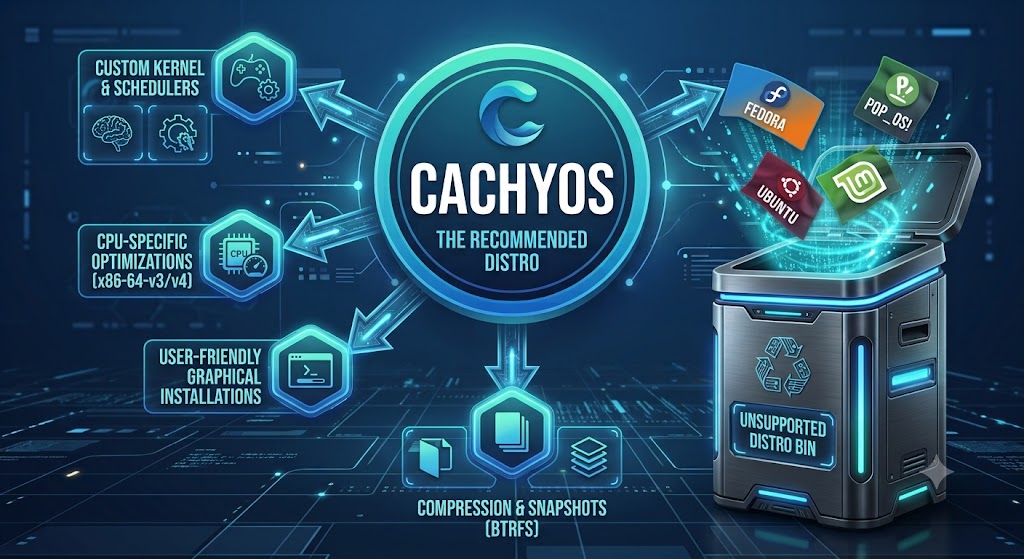
There is a long-standing paradox at the heart of the Linux community. If you ask almost any experienced systems administrator or enthusiast what their ideal distribution looks like, you’ll hear a very familiar list: absolute control, zero bloat, instant access to the latest software, and documentation so thorough it reads like an engineering manual. Crucially, they’re describing Arch Linux.
Yet, for years, whenever a friend or colleague asked me what distro they should install on their shiny new laptop, I found myself instinctively pointing them toward Ubuntu, Linux Mint, or Pop!_OS.
Why the disconnect? Because for over two decades, Arch’s perfection came with a steep entry fee: manual terminal installations, hours spent configuring bootloaders, and the constant lingering threat that a single misstep in a configuration file might leave you staring at a blank tty prompt. We all quietly accepted that raw performance and accessibility were mutually exclusive. You either picked an accessible system that felt slightly sluggish and lagged behind on hardware support, or you picked a blazingly fast system that punished you for being human.
When I started diving deeply into CachyOS, that entire mindset crumbled.
It took Arch’s underlying core, wrapped it in a polished, modern layer, and delivered an operating system that felt astonishingly fast, rock-solid, and genuinely welcoming. It gave me Arch without the punishment, performance without the pain, and modern Linux designed for how we actually use our machines today. It completely changed my perspective—and it’s why CachyOS is now my default recommendation.
What CachyOS Actually Is—and Why It Instantly Hooked Me
If you look at the technical documentation, the maintainers describe CachyOS as an Arch-based operating system built with performance-focused kernels, custom compiler flags, and a curated desktop experience. But that raw description doesn’t quite capture what it feels like when you boot into it for the first time.
Most mainstream distributions ship a single, generic kernel built with a compromise mindset. They compile one engine meant to run on everything from a massive dual-socket enterprise server down to a tiny single-board Raspberry Pi. CachyOS rejects that compromise entirely.
It treats your personal PC like a unique machine with specific desktop needs. When I’m switching between windows, running scripts, or launching a game, I need immediate, low-latency responsiveness. I don’t need my CPU prioritizing background batch tasks like a database server; I need the UI to feel instantaneous under my fingers.
To achieve this, CachyOS gave me something I’d never seen handled so elegantly out of the box: a suite of custom-tuned kernel schedulers that I could actually choose from depending on what I was doing.
The Scheduler: Teaching My CPU How to Listen
To understand why my system suddenly felt so much punchier, it helps to imagine your CPU as a busy classroom full of children, all shouting at once to get the teacher’s attention. The kernel scheduler is the teacher, deciding who gets to speak, in what order, and for how long.
On traditional distros like Ubuntu or Fedora, you’re handed the Completely Fair Scheduler (CFS) or the stock EEVDF scheduler. CFS is like a calm, methodical teacher who insists every single child gets precisely the same amount of airtime. In a server environment, that’s great. On my daily driver, however, it meant my active game or browser window was waiting its turn alongside low-priority background processes, creating those subtle micro-stutters we’ve all grown used to.
CachyOS lets you swap the teacher in the classroom:
- BORE (Burst-Oriented Response Enhancer): This is the teacher who instantly responds to the child waving their hands frantically. BORE recognizes interactive desktop bursts—like dragging a window or hitting an input in a game—and temporarily boosts those tasks to kill latency.
- PDS (Priority and Deadline Scheduler): A scheduler focused strictly on keeping the system running rhythmically. PDS smooths out frame pacing and drops latency spikes, making it an absolute dream for gaming and real-time audio/video.
- TT (Task Type Scheduler): An intelligent coordinator that classifies tasks into distinct buckets—separating UI elements from background processing. It meant I could compile code or download heavy files in the background without my cursor or desktop stuttering for a fraction of a second.
- BMQ (BitMap Queue Scheduler): A lightweight, stripped-back scheduler designed to reduce CPU management overhead, making older or lower-spec hardware feel remarkably nimble.
The moment I started switching between these based on my workload, that floaty, delayed feeling I’d always tolerated on traditional Linux desktops completely vanished.
Treating My Hardware Like It Belongs in the Present Day
The deeper I dug into CachyOS, the more I realized its intelligence extends far beyond task management—it changes how the software itself is built at the source code level.
When you install a mainstream distro like Ubuntu, Linux Mint, Debian, or even stock Arch Linux, almost all the software packages in their repositories are compiled for an abstract baseline known as x86-64-v1. In plain English, the distro assumes your modern multi-core Intel or AMD processor has the instruction set of a CPU from 2003. They do this so their installer boots on ancient legacy hardware, but it leaves a massive amount of performance lying on the table.
+----------------------------------------------------------------------------------+

| INSTRUCTION SET TIERING |

+----------------------------------------------------------------------------------+

| Generic x86-64 --> Base baseline (Ubuntu, Mint, Debian, Stock Arch) |

| x86-64-v3 --> AVX, AVX2, FMA, BMI1/2 (CachyOS, Fedora moving this way) |

| x86-64-v4 / Zen4 --> AVX-512, VNNI, BITALG (CachyOS micro-architecture builds) |

+----------------------------------------------------------------------------------+
CachyOS assumes your machine belongs in the modern era. It compiles its kernels and software repositories targeting x86-64-v3 (CPUs supporting AVX, AVX2, FMA, and BMI instructions) and even x86-64-v4 or dedicated Zen4 architectures (for newer CPUs with AVX-512 support).
By forcing the compiler to unlock these modern CPU instructions, my system squeezes 5% to 15% higher real-world throughput out of everyday tasks compared to traditional distros:
- Cryptography & Security: Filesystem encryption (LUKS), SSH handshakes, local VPN routing (WireGuard/Tailscale), and HTTPS connections execute faster via native hardware acceleration (AES-NI, AVX2, AVX-512) rather than software fallbacks.
- Data Compression: Core archiving libraries (
zstd,lz4,xz) heavily utilize vector instructions. Archiving, extracting, and unpacking system updates or game assets consume noticeably fewer CPU cycles and finish much faster. - Graphics & Heavy Workloads: Heavy math, Vulkan shader compilation, and parallel vector streams run through dedicated, high-speed CPU pipelines without getting bogged down by generic bottlenecks.
Whole-System Tuning in Practice
CachyOS builds on these CPU instructions using two advanced compiler techniques rarely seen together in desktop operating systems: Link-Time Optimisation (LTO) and Profile-Guided Optimisation (PGO).
Normally, software is compiled one file at a time—like building individual rooms of a house separately and gluing them together at the end. LTO allows the compiler to look at the entire kernel source code all at once. It strips out dead code, places critical routines close together in CPU cache memory, and shrinks binary sizes.
PGO takes this even further: the CachyOS maintainers actually run realistic desktop workloads on an instrumented kernel to watch where execution time is spent most. The compiler then uses that real-world telemetry to optimize the “hot paths” in the code.
The end result for me wasn’t just higher numbers on a synthetic benchmark chart; it was a system that booted faster, opened heavy applications near-instantly, and stayed silky smooth even under intense multi-tasking.
Meeting My Actual Day-to-Day Needs
The real reason CachyOS became my daily driver—and why I feel so comfortable handing it to newcomers—is that its performance serves a practical purpose: it addresses how our expectations of Linux have shifted.
A decade ago, most people switching to Linux were looking for an open-source office suite or a lightweight OS for web browsing. Today, people are coming over because they want a privacy-respecting, high-performance platform for gaming, software development, and modern hardware support.
┌─────────────────────────────────────────────────────────────────────────┐
│ WHAT I ACTUALLY NEED DAY-TO-DAY │
├───────────────────┬───────────────────┬─────────────────────────────────┤
│ Seamless Gaming │ Hardware Support │ Wayland & NVIDIA Integration │
│ Turn-key launchers│ Rolling kernel │ Zero flickering, explicit sync │
│ & custom Proton │ updates on day 1 │ working seamlessly │
└───────────────────┴───────────────────┴─────────────────────────────────┘
1. Gaming Without the Headache: A Turnkey Appliance
Linux gaming has come a long way, but setting it up on traditional distros can still feel like assembling a jigsaw puzzle. On Ubuntu or Linux Mint, you’re constantly adding third-party PPAs, hunting down missing 32-bit driver libraries, or fighting with runner dependencies in a terminal. Even on Fedora, strict open-source licensing rules mean you have to manually add RPM Fusion repos just to get proprietary drivers and gaming toolchains.
CachyOS functions like a fully pre-configured gaming appliance out of the box through its curated gaming metapackage. In one go, my system had everything required for a complete setup:
- Steam, Heroic, and Lutris launchers pre-installed and configured.
- MangoHUD performance overlays and vkBasalt post-processing tools ready to go.
- All required Vulkan dependencies, 32-bit graphics libraries, and wine-ge builds pre-provisioned.
On top of that, CachyOS maintains its own custom Proton builds directly in its repositories. These packages include patches that solve game compatibility quirks, speed up shader pre-compilation (eliminating that annoying initial game stutter), and optimize frame pacing. It turned Linux gaming from a tinkering project into a true press-and-play experience.
What it means in plain English
To someone who doesn’t game, terms like Lutris, Vulkan, 32-bit libraries, and Wine sound like niche gaming jargon. In reality, these components represent Linux’s compatibility layer for running legacy, proprietary, and complex Windows-native software.
Historically, Linux couldn’t execute Windows applications (.exe binaries) natively because Windows and Linux talk to hardware in completely different languages. Wine and Proton act as real-time translators. However, translating high-performance graphics, 32-bit legacy code, and modern hardware instructions on the fly requires dozens of underlying software bridges:
- Vulkan & 32-Bit Graphics Libraries: Modern hardware translation bridges. Many legacy Windows utilities, media tools, and proprietary applications still rely on older 32-bit graphical routines or modern low-overhead renderers to draw their user interfaces.
- Launchers (Lutris, Heroic, Steam): These are not just storefronts; they are application container engines. They isolate different Windows runtimes so that App A can run on an older version of Wine without breaking App B, which needs a newer version.
- Wine-GE & Custom Proton Builds: Custom-patched translation engines that fix bugs, improve multi-core performance, and optimize memory management for non-native software.
- MangoHUD & vkBasalt: System telemetry and hardware-rendering monitors that let you track real-time CPU, GPU, VRAM, and thermal usage directly on top of active graphical windows.
Why this is critically important for non-gamers
On traditional Linux distributions (like Debian, Ubuntu, or base Arch), setting up environment dependencies to run Windows software or hardware-accelerated creative tools is a notorious headache:
- Dependency Hell: Trying to install 32-bit graphics drivers on a modern 64-bit system often causes software conflicts, occasionally threatening to break system packages.
- Manual Configuration Overhead: Running proprietary Windows software (e.g., specialized CAD tools, legacy audio/video editors, or corporate utilities) usually requires manually creating isolated “Wine prefixes,” downloading third-party DLLs, and tweaking registry keys in the terminal.
- Hardware Acceleration Drops: Without pre-configured Vulkan and 32-bit translation layers, non-native applications default to slow software rendering, causing heavy CPU usage, lagging interfaces, and battery drain.
By bundling these frameworks into the operating system core, CachyOS transforms what was once a complex, manual setup process into a seamless turnkey compatibility layer.
How CachyOS does it better
| Feature / Aspect | Traditional Distros (Ubuntu, Debian, Fedora) | CachyOS Approach | Benefit to Non-Gamers |
|---|---|---|---|
| 32-Bit & Vulkan Setup | Manual setup required; users must enable multi-architecture repos and install missing driver packages. | Pre-configured and fully integrated during system installation. | Windows-native creative software and legacy utilities launch out-of-the-box without missing driver errors. |
| System Telemetry | Requires searching for third-party CLI tools or heavy GUI applets to monitor hardware load. | MangoHUD is ready out of the box to overlay on any graphical application. | Instant visual monitoring of CPU, GPU, VRAM, and thermal loads during heavy rendering, compiles, or media exports. |
| Software Isolation | Users must manually manage separate WINEPREFIX directories in the terminal. | Tools like Lutris double as visual container managers for non-native software. | Effortlessly compartmentalize, manage, and launch legacy or Windows-only desktop utilities in clean sandbox environments. |
| Translation Performance | Standard distribution Wine builds run on generic compiler flags. | Built with x86-64-v3/v4 optimizations and custom wine-ge patches. | Lower CPU overhead, reduced memory leaks, and faster interface response times when running non-native applications. |
Immediate Modern Hardware Support
If you buy a newly released GPU, an ultra-recent Wi-Fi card, an OLED laptop, or a brand-new CPU architecture, point-release distributions like Ubuntu, Linux Mint, or Pop!_OS can be painful. Because they tie themselves to rigid, long-term release cycles, their kernels and Mesa drivers can lag behind upstream by six months or more. You’re often left dealing with black screens, missing audio drivers, or terrible battery life.
Because CachyOS inherits Arch’s rolling-release foundation, new kernels and graphics drivers land within days of release. My hardware was recognized instantly, ran cooler, and operated at its full potential from day one without me having to manually backport kernels.
Wayland and NVIDIA: Finally Solved
Wayland is the modern display server designed to replace the aging X11 protocol—delivering tear-free rendering, smooth touchpad gestures, crisp fractional scaling, and independent refresh rates across multiple monitors. Historically, getting Wayland to play nicely with NVIDIA graphics cards was one of the most frustrating things I’ve ever wrestled with on Linux, usually resulting in screen flickering and crashed sessions.
CachyOS gave me the smoothest Wayland integration I’ve experienced to date. By pairing a finely tuned KDE Plasma desktop with bleeding-edge driver branches (including explicit sync support), I got a flicker-free, low-latency Wayland setup on NVIDIA out of the box, with zero manual terminal hacking required.
Arch Power Without the Arch Friction
All this underlying performance wouldn’t mean much if CachyOS required the administrative overhead of stock Arch. What impressed me most was how effortlessly it eliminated traditional setup hurdles.
Traditional Arch Setup:

[ Disk Partitioning ] ➔ [ fstab / Bootloader ] ➔ [ Driver Config ] ➔ [ Terminal AUR Builds ]

│

CachyOS Approach: ▼

[ Graphical Calamares Installer ] ➔ [ Precompiled Chaotic AUR ] ➔ [ Ready-to-Use Desktop ]
A Setup Anyone Can Use
Instead of spending an hour partitioning drives, generating fstab files, and manually assembling desktop packages from a command prompt, CachyOS hands you a clean graphical installer. Within minutes, I was able to visually pick my preferred desktop environment (KDE Plasma, GNOME, Hyprland, etc.), select my kernel variant, choose my filesystem (with automated Btrfs snapshot backups configured out of the box), and let the system handle the rest.
Precompiled Software via Chaotic AUR
The Arch User Repository (AUR) is the largest software repository in the Linux world. If an app exists for Linux, it’s on the AUR. On standard Arch, however, installing an AUR package usually means pulling raw source code and compiling it locally—which can pin your CPU at 100% and take hours for massive packages.
CachyOS solves this by building in Chaotic AUR, an automated build network that provides precompiled binary packages for the AUR. I got instant access to millions of software packages that installed with a single click, totally bypassing long compile times and dependency headaches.
The Power of the Arch Wiki
When I want to tweak something or troubleshoot a unique workflow, searching online for traditional distros often leads to dead forum threads from 2014 with outdated commands.
Because CachyOS is pure Arch underneath, I have direct, full compatibility with the Arch Wiki—the most accurate, obsessively maintained technical documentation in the open-source world. Every guide, performance tweak, and configuration tip applies directly to my system, giving anyone installing it a clear, reliable path to grow into a power user at their own pace.
How It Stacks Up in My Experience
When I compare my time on CachyOS against the traditional desktop options I used to recommend, the difference in design philosophy is night and day:
| Feature / Attribute | CachyOS | Ubuntu | Fedora Workstation | Pop!_OS | Linux Mint |
|---|---|---|---|---|---|
| Release Model | Arch (Rolling) | Fixed / LTS | Point Release | Fixed / LTS | Fixed / LTS |
| Compiler Target | x86-64-v3 / v4 (Optimized) | x86-64-v1 (Generic) | x86-64-v1 / v2 | x86-64-v1 (Generic) | x86-64-v1 (Generic) |
| Kernel Tuning | LTO, PGO, Custom Schedulers | Stock Baseline | Generic Modern | Stock Baseline | Conservative |
| Out-of-Box Gaming | Turnkey Metapackage + Custom Proton | Manual Setup | Manual Setup (RPM Fusion) | Good (NVIDIA ISO) | Manual Setup |
| Wayland + NVIDIA | Flawless (Modern Driver Stack) | Mixed | Good (Requires Tweaks) | Moderate | Limited (X11 Default) |
| Software Access | Pacman + Precompiled AUR | APT + Snaps | DNF + Flatpak | APT + Flatpak | APT + Flatpak |
The Takeaway
For years, I operated under an unwritten rule: if someone was new to Linux, I had to recommend a system that sacrificed performance and software freshness in the name of stability and ease of use. If they wanted a system that felt blazingly fast and stayed on the cutting edge, I told them they had to build it themselves, brick by brick, in the terminal.
CachyOS proved to me that trade-off was completely unnecessary.
By taking the unmatched speed, documentation, and software availability of Arch Linux and wrapping it in an intelligently optimized, accessible package, it offers something truly special. It doesn’t treat users like novices who need to be shielded from their own hardware; it gives them an engine tuned to make that hardware fly.
Whether you’re looking for smoother frame rates in games, running a brand-new laptop, or simply want an operating system that reacts the exact millisecond you click your mouse, CachyOS isn’t just an interesting distro to experiment with—it’s genuinely the best place to start.
Why Choose CachyOS?
For years, new Linux users were nudged towards distros like Ubuntu or Linux Mint because Arch Linux—despite its unmatched performance and instant access to the latest software—demanded hours of complex terminal setup. CachyOS completely eliminates that entry barrier. It takes the lightning-fast Arch foundation and wraps it in a smooth, effortless graphical installer. You get zero bloat, access to the massive Arch User Repository (AUR), and up-to-date software without the fear of bricking your machine or wrestling with command-line configuration.
What really sets CachyOS apart is how astonishingly fast it feels out of the box. Most distros compile their software for ancient CPUs from twenty years ago to maintain legacy compatibility, leaving your computer’s power on the table. CachyOS compiles its packages specifically for modern processors and includes custom-tuned kernels that prioritise your active desktop tasks. Whether you are switching between windows, gaming, or multitasking heavy workloads, CachyOS squeezes every drop of performance out of your modern hardware to deliver a genuinely fluid, lag-free experience.