
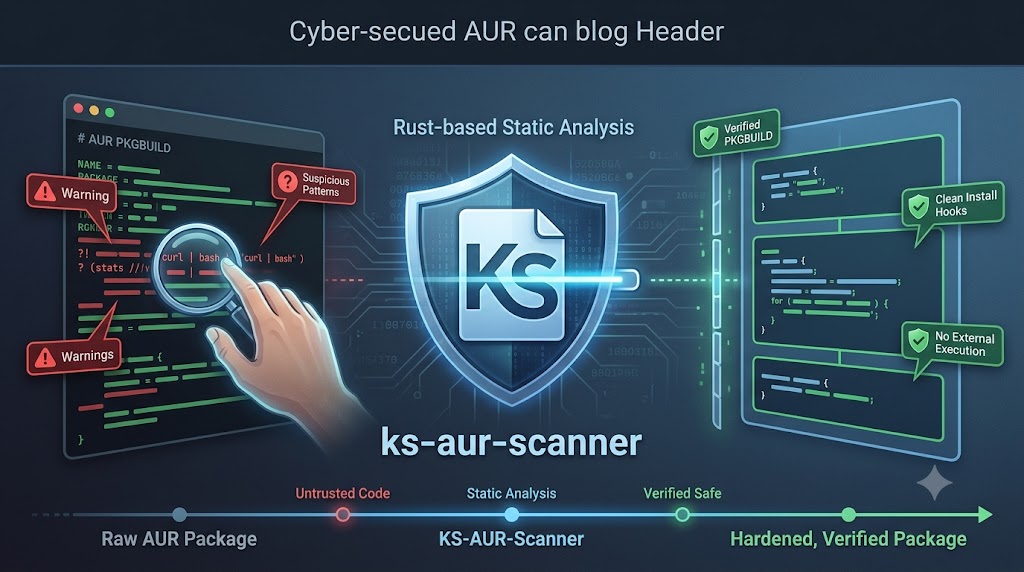
Hardening the AUR Without Losing Your Sanity
If you’ve been running Arch or any Arch‑adjacent distro for long enough, you eventually develop a sixth sense for PKGBUILDs. You start noticing odd patterns, questionable install hooks, and the occasional “why is this downloading a random script from pastebin” moment. The AUR is brilliant — but it’s also a wild west. And as a sysadmin, you don’t get to shrug and hope for the best. You need guardrails.
That’s where ks‑aur‑scanner enters the picture. It’s one of those tools that quietly slots into your workflow and makes you wonder why you didn’t adopt it sooner. Not because it’s flashy, but because it’s paranoid in exactly the way you want your tooling to be.
What ks‑aur‑scanner actually is
At its core, ks‑aur‑scanner is a Rust‑based static analysis tool for AUR packages. It doesn’t try to be clever by executing PKGBUILDs or simulating makepkg. Instead, it reads the files, inspects the scripts, and looks for the sort of nonsense that keeps sysadmins awake at night — obfuscated commands, suspicious network calls, unexpected privilege escalations, and the classic “curl | bash” anti‑pattern that should have been outlawed years ago.
It’s built with a hardened mindset: no external process execution, no race conditions, no fetching a second copy of the PKGBUILD that might differ from the one you scanned. It’s the kind of design that feels like it was written by someone who has actually dealt with compromised systems and doesn’t want to repeat the experience.
The Fish integration and why it matters
If you’re a Fish user — and I am — the integration is pleasantly minimal. You drop this line into your ~/.config/fish/config.fish:
Code
source /usr/share/aur-scan/integration.fish
That’s it. No ceremony. No weird shell hacks. Suddenly the scanner feels native. Completions work, wrapper functions behave, and the tool becomes something you use without thinking about it. The best integrations are the ones you forget exist because they simply do their job.
Using the tool in real life
The workflow is straightforward. You can scan a package before installing it, audit your system, or even perform a race‑free install that refuses to touch anything until it’s been thoroughly inspected. Commands like aur-scan check <package> or aur-scan system become part of your muscle memory.
What I appreciate most is that it doesn’t try to replace your package manager. It’s not another “AUR helper with opinions.” It’s a security layer. A bouncer. A second set of eyes that doesn’t get tired or complacent.
The sysadmin reality: pros, cons, and the human factor
Now, let’s be honest. Tools like this always come with trade‑offs.
On the positive side, ks‑aur‑scanner gives you a level of confidence that’s hard to achieve manually. It catches things you might miss, especially on a busy day when you’re juggling incidents, upgrades, and the occasional “why is this Kubernetes node behaving like a Victorian steam engine” mystery. It’s fast, deterministic, and doesn’t rely on executing untrusted code.
But it’s not perfect. You will get false positives. You will occasionally scan a package and think, “Alright, calm down, that’s not malicious, it’s just badly written.” And yes, it adds a bit of friction to your workflow. Security always does. That’s the nature of the job.
The real value is that it forces you to slow down just enough to avoid stepping on landmines. In a world where supply‑chain attacks are becoming depressingly common, that’s worth the extra keystrokes.
Final thoughts
If you’re running an Arch‑based distro and you care about system integrity — and if you’re reading this, you probably do — ks‑aur‑scanner is one of those tools that earns its place. It doesn’t try to be clever. It doesn’t try to be your package manager. It just quietly watches your back.
And honestly, that’s exactly what I want from a security tool.
Reference Links
(These are external sources; I’m summarising them rather than quoting full text.)
ks‑aur‑scanner GitHub repository
https://github.com/KiefStudioMA/ks-aur-scanner(github.com in Bing)Security audit (June 2026)
https://github.com/KiefStudioMA/ks-aur-scanner/blob/main/docs/SECURITY-AUDIT-2026-06-13.md(github.com in Bing)Related AUR security scanner
https://github.com/raven0-ya/aur-scanner(github.com in Bing)